

Most job sites have controlled access. You need to be on the list, wear the right vest, maybe sign in at the gate. Those controls exist because the people running the site know who should be there — and the consequences of getting that wrong can be bad and not just administrative.
Your network and computer system have the same problem, and for most small and mid-sized AEC and manufacturing firms, the controls aren’t nearly as tight as the job site. Sure, you know their names and faces, but that is not what a cyber thief uses.
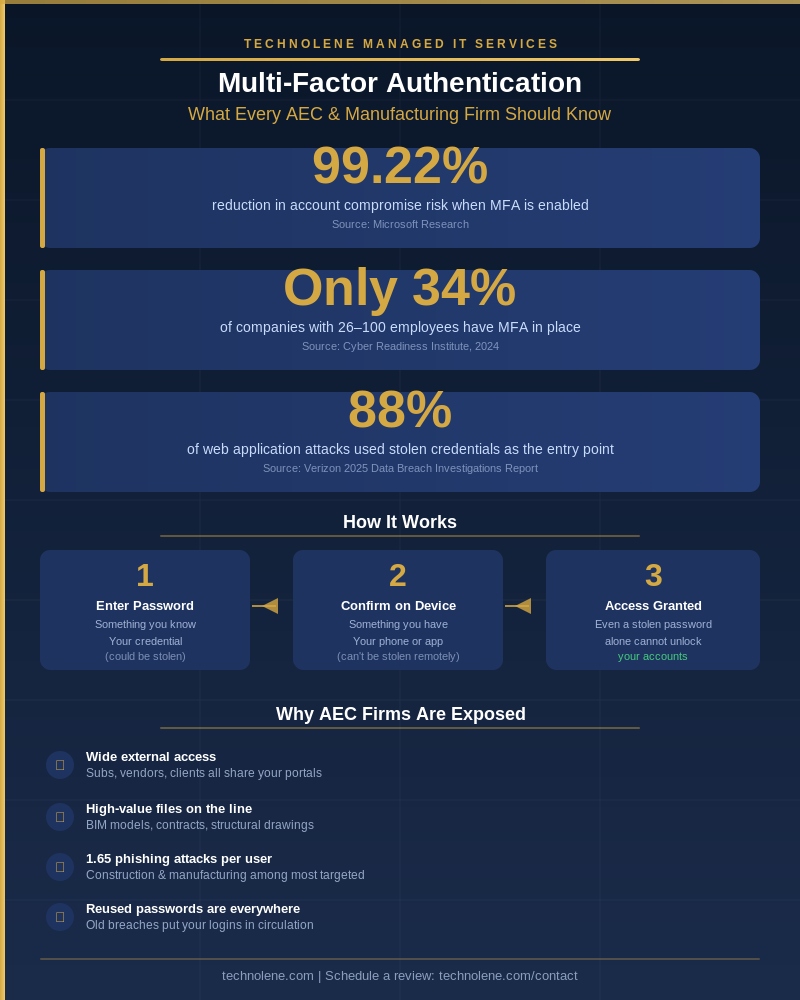
Right now, the most common way a bad actor gets into a business’s systems isn’t through some sophisticated software exploit. It’s through a stolen password. Verizon’s 2025 Data Breach Investigations Report found that 88% of attacks against business web applications involved stolen credentials [1]. Not zero-day vulnerabilities. Not complex malware, yes those are real threats as well, but a username and a password that didn’t belong to the person using them.
How Credentials Get Stolen
Phishing is the usual path. An email arrives that looks real — a subcontractor, a vendor, even a Microsoft notification. Someone clicks a link, enters their login, and the credential goes directly to an attacker. Credentials are also harvested (purchased) from previous data breaches at entirely unrelated companies — services that were compromised years ago and whose user data is now circulating freely on the dark web. People reuse passwords. If someone used the same password for a project portal and an old account from a service that was breached, the attacker already has it.
AEC and manufacturing businesses are particularly attractive targets because the credential ecosystem is wide. Subcontractors, consultants, and clients all have access to shared systems — project portals, file servers, construction management software. Every external access point is a potential entry. Construction and manufacturing firms received 1.65 phishing attempts per user in recent analysis, a rate higher than most other industries [2].
A stolen password is essentially a working key. Multi-factor authentication makes that key useless without also having the phone.
What MFA Actually Is
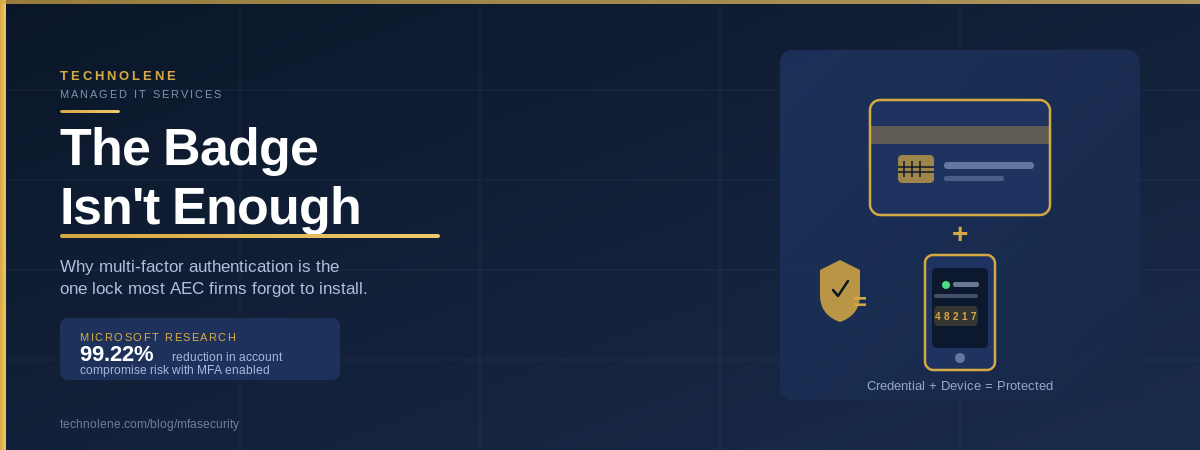
Multi-factor authentication (also called two factor) means that logging in requires two things instead of one: something you know (the password) and something you have (typically a code generated by an app on your phone, or sent as a text). Steal the password and you still can’t log in — the second factor isn’t sitting in any breach database.
This is not new technology, and it’s not complicated to use. If you’ve ever had a bank text you a verification code before letting you access your account, you’ve already used MFA and it shouldn’t be limited to just you bank account. The mechanics for your business systems are identical.
The Numbers Are Hard to Argue With
Microsoft’s analysis of real-world attack data found that enabling MFA reduces the risk of account compromise by 99.22% [3]. That’s not a theoretical projection — it’s based on observed outcomes across a large population of accounts. CISA, the federal cybersecurity agency, states plainly on their website that MFA makes you 99% less likely to get hacked [4].
The math is pretty simple. If the most common attack path is a stolen password, and MFA neutralizes a stolen password as a working credential, then MFA closes the most commonly used door into your systems.
The Gap in Most Small Firms
Despite how effective it is, a majority of small and mid-sized businesses still don’t have MFA deployed across their accounts. A 2024 study by the Cyber Readiness Institute found that only 34% of companies in the 26-to-100-employee range have implemented MFA [2]. That’s the size band that covers most AEC and manufacturing companies.
Cost is frequently cited as the reason for not having it. But MFA is included in Microsoft 365 business subscriptions at no additional cost, and standalone solutions for smaller environments can be deployed for a few dollars per user per month. The hesitation is more about friction than expense — any change to how people log in takes some getting used to. People need their phones available. An app needs to be set up once. That’s a short list of inconveniences compared to what it prevents.
What Happens Without It
When a credential is compromised for an account without MFA, the attacker has largely unrestricted access. They log in as a legitimate user, move to other systems, review files, and often sit quietly for weeks before doing anything visible. By the time anything unusual is noticed — if it is noticed — the access has been ongoing long enough to do real damage.
For an AEC or manufacturing, that means exposure to project files, client contracts, subcontractor credentials, and financial records. The downstream liability from that kind of breach isn’t limited to your own data.
Adding MFA doesn’t solve every security problem. But it closes the most commonly exploited initial access path, and on a cost-per-risk-reduced basis, it’s one of the better investments in your IT environment.
If you’re not sure whether MFA is in place across your firm — or if it’s been deployed inconsistently — that’s worth knowing. Technolene works with AEC and manufacturing firms to assess current authentication posture, identify the gaps, and put MFA in place in a way that’s practical for the people who actually have to use it.
→ Reach out at technolene.com/contact to schedule a review.
References
[1] Verizon. “2025 Data Breach Investigations Report.” verizon.com/business/resources/reports/dbir/
[2] Cyber Readiness Institute. “New Study Underscores Slow Adoption of MFA by Global SMBs.” Nov 2024. cyberreadinessinstitute.org
[3] Microsoft Research. “How Effective is Multifactor Authentication at Deterring Cyberattacks?” Microsoft Research Paper (PDF)
[4] CISA. “More than a Password.” cisa.gov/MFA
Sources
- https://www.verizon.com/business/resources/reports/dbir/
- https://cyberreadinessinstitute.org/news-and-events/new-study-underscores-slow-adoption-of-multifactor-authenification/
- https://cdn-dynmedia-1.microsoft.com/is/content/microsoftcorp/microsoft/final/en-us/microsoft-brand/documents/MFA-Microsoft-Research-Paper-update.pdf
- :%20https:/www.cisa.gov/MFA
- https://technolene.com/contact
- https://www.cisa.gov/MFA